Read How UC San Diego GPS Is Bridging Math Gaps with AI Compass

The Industry's Best IDEs.
The Power of a Unified Platform.

From Local Setups to Cloud-Native
Learning

Empower your learners with the professional-grade Integrated Development Environments (IDEs) they’ll use in their careers. From VS Code to a full Linux Desktop, Vocareum delivers them instantly in the browser, fully configured and ready to run. Say goodbye to “it works on my machine” and hello to scalable, consistent, and assessable coding environments for everyone.

Choose the Right Environment for Your Curriculum

We provide the authentic, full-featured tools your curriculum demands, all fully managed and hosted by our platform.

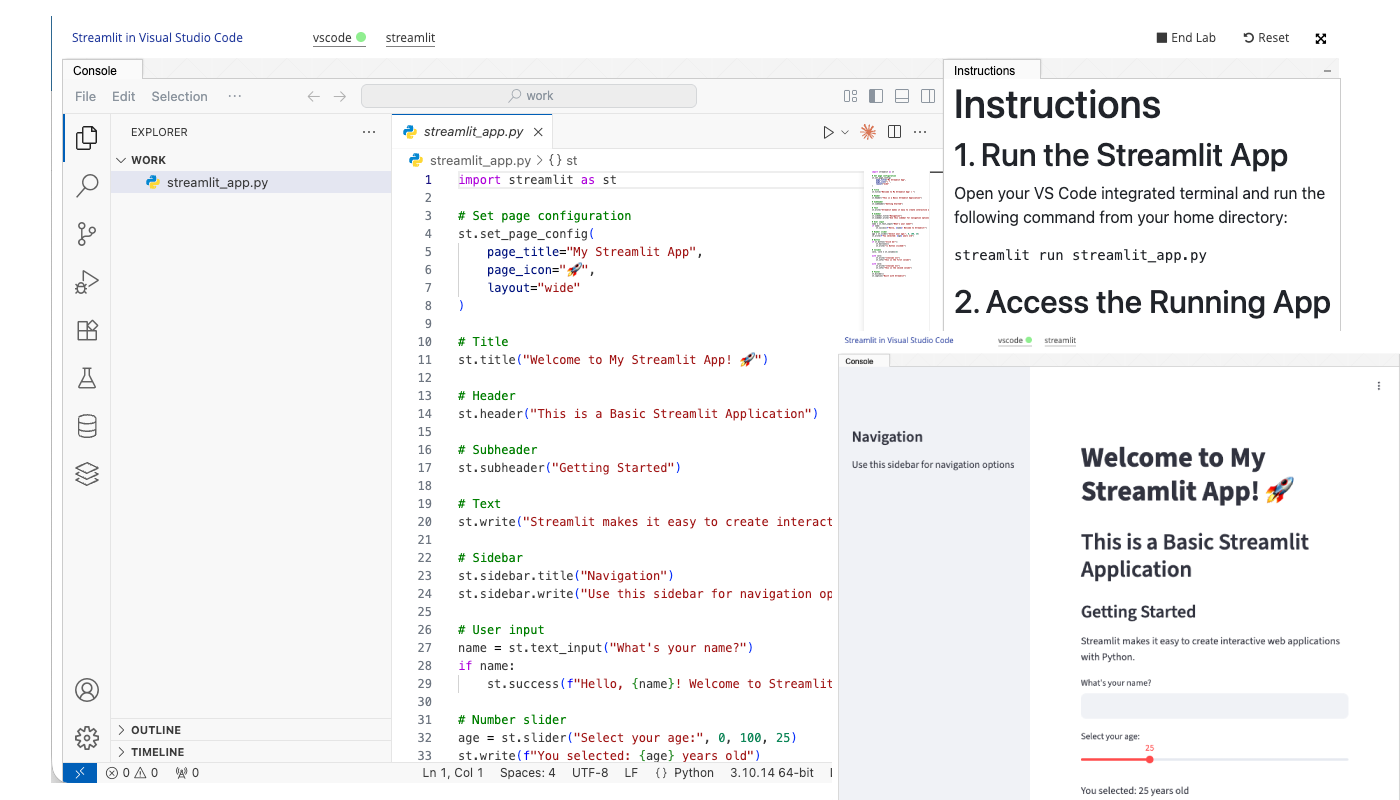
Visual Studio Code

Full-Stack Development with VS Code

The world’s most popular code editor, running in the browser. We provide a pre-configured backend environment with runtimes, compilers, and terminal access. Perfect for courses in web development, Python, Java, C++, and more.

Linux Desktop

Advanced Computing with a Full Linux Desktop

Go beyond a simple terminal. Provide every student with their own graphical Linux environment (XFCE). Perfect for advanced courses in Operating Systems, Networking, Cybersecurity, and any curriculum that requires deep system interaction.

No matter which IDE you choose, the Vocareum platform enhances the experience with:

Automated Assessment: Grade code, unit tests, and program output.

LMS Integration: Connect seamlessly with Canvas, Moodle, and more.

Collaboration Tools: Enable team projects with version control and shared workspaces.

Centralized Management: Control your entire course from a single dashboard.

The Vocareum Advantage:
The Educational Wrapper for Professional Tools

For the Educator: Grade the Outcome, Not Just the Code

Our platform gives you the power to assess what really matters. Create complex, multi-file assignments and automatically grade them with custom scripts and unit tests. Easily review student work, provide feedback, and manage submissions without ever leaving the platform.

For the Institution: Secure & Scalable Dev Environments for All

Provide secure, sandboxed development environments to every student without the massive IT overhead. Our platform handles all the provisioning, scaling, and maintenance, while ensuring your institution’s security and compliance standards are met.

For the Learner: Code from Day One, Not Setup Day

Students can launch a complete, course-ready IDE with a single click. Every required tool, library, and compiler is pre-installed and consistent for the entire class, eliminating hours of frustrating setup and allowing them to focus on learning from the very first day.

Powering the Next Generation of Developers and Analysts

Computer Science Programs: From CS1 to Capstone

Build a cohesive CS curriculum using the tools of the trade. Teach introductory Python in a simple IDE, move to full-stack development in VS Code, and explore operating systems in a Linux Desktop—all on one platform.

Benefits:

Provide the right tool for every course in your curriculum

Ensure a consistent, frustration-free experience for students

Assess a wide range of programming assignments of scale

Bootcamps & Vocational Training: Job-Ready Skills, Faster

Prepare your students for the workplace by teaching them on the exact tools they’ll use on the job. Our platform mirrors professional development workflows, accelerating their path to career readiness.

Benefits:

Teach in-demand skills on industry-standard software

Enable complex, real-world projects and team collaboration

Ensure every student its working in an identical, professional environment

Support Guide

Frequently Asked Questions

Are these the real, full versions of the IDEs or are they limited simulations?

They are the real, full-featured versions. We run the open-source server edition of VS Code (Code Server) and provide a complete, graphical Linux Desktop virtual machine. You get the full power of the application, seamlessly delivered in the browser.

You have full control over this. By default, environments are locked to ensure consistency for grading. However, you can grant permissions for students to install VS Code extensions via the marketplace, use package managers like pip and npm, or even have sudo access in the Linux Desktop for advanced courses.

Our assessment engine is highly flexible. You can create grading scripts that navigate the file system, compile code, run executables, call APIs, execute unit test suites (like PyTest or Jest), and parse the output to assign a grade. This allows you to grade applications based on their actual functionality, not just code style.

The environments run on virtual machines in the cloud. You can configure the resources (CPU, RAM, storage) for each assignment, ensuring students have enough power for their work—from simple script execution to compiling large applications—while managing costs effectively.

Skill Up

Ready to Transform Your Learning

Experience?

Book a demo to see the platform in action, or explore our case studies to discover how Vocareum can transform your training or educational program.